Hierarch

Project management designed for how designers actually work

I spent years managing design work in tools built for engineers. Sprints, story points, velocity charts. None of it mapped to how I actually think about a project moving from research to handoff. So I built the tool that did.

Hierarch is a full-stack project management app designed around design workflows. Projects move through nonlinear design phases (Research, Explore, Design, Iterate, Review, Handoff) instead of engineering sprint statuses. Tasks carry blockers, due dates, and artifacts. A capacity timeline gives managers workload visibility without asking for status updates. Everything connects to the tools designers already use through real-time integrations with Linear, Figma, and Jira.

I designed and built it end to end using Claude Code CLI and Cursor, with Supabase handling auth, real-time subscriptions, and Edge Functions. The entire product, from database schema and RLS policies to the component library and OAuth flows, was developed by one person with AI tooling. The app is live at hierarchical.app and in active development.

My Role

  • Product Design
  • Full-Stack Development
  • Architecture

Team

  • Solo project

Tools

  • React
  • TypeScript
  • Tailwind CSS
  • Supabase
  • Claude Code
  • Figma
Hierarch

The Problem

Designers work in phases. Research, exploration, iteration, critique, handoff. Those phases overlap, reverse, and branch. A project can be in "Iterate" while half its tasks are done and the other half haven't started. A simple status column can't represent that.

The tools that exist force designers to translate their work into engineering language. Designers end up maintaining a shadow system in Figma comments, Slack threads, and personal notes. Design managers lose visibility into where projects actually stand. Context gets fragmented across three or four apps.

The Thinking

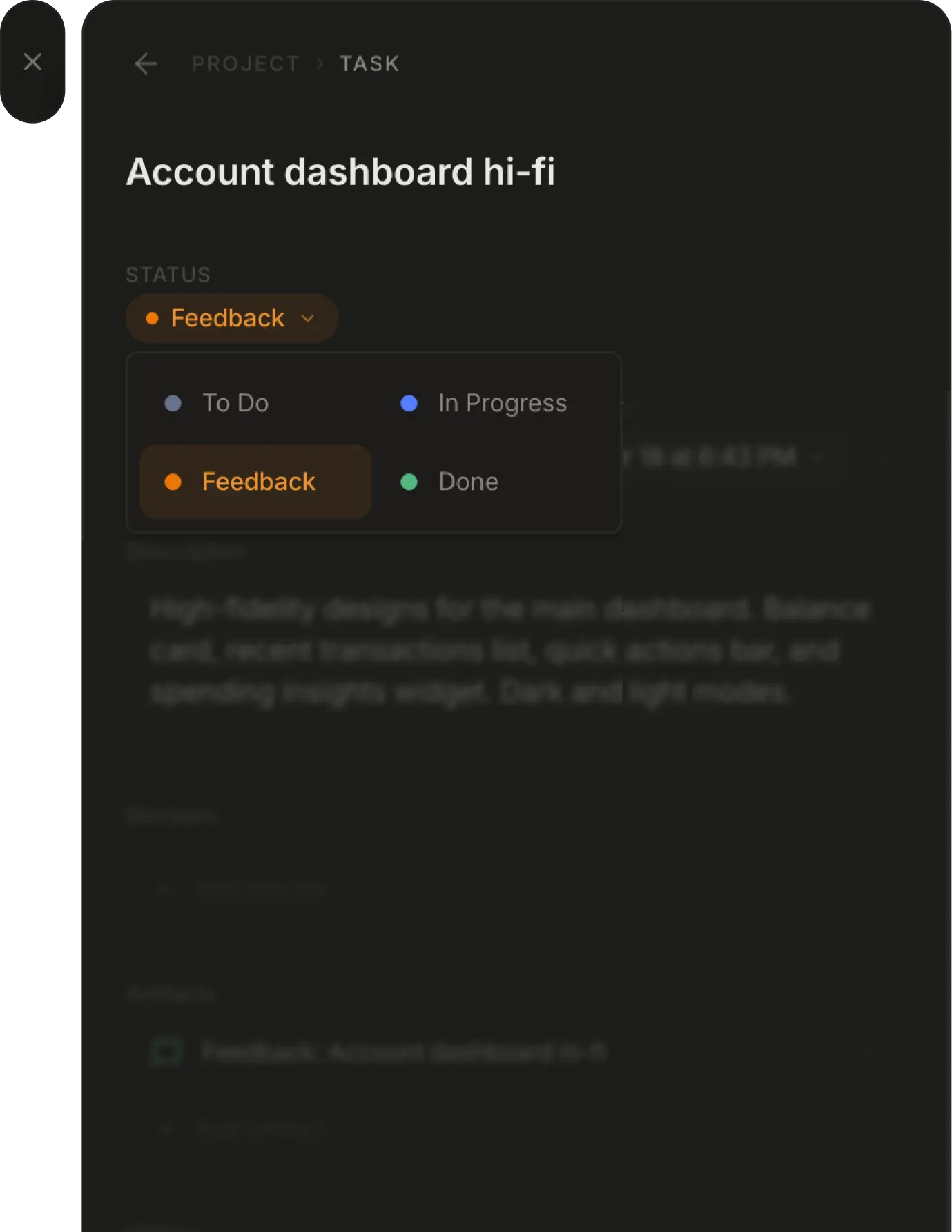
The core insight was separating two concepts that every PM tool conflates: where a project is conceptually and what's happening tactically. A project's phase (Research, Explore, Design, Iterate, Review, Handoff) represents the former. Task statuses (To Do, In Progress, Feedback, Done) represent the latter. They move independently.

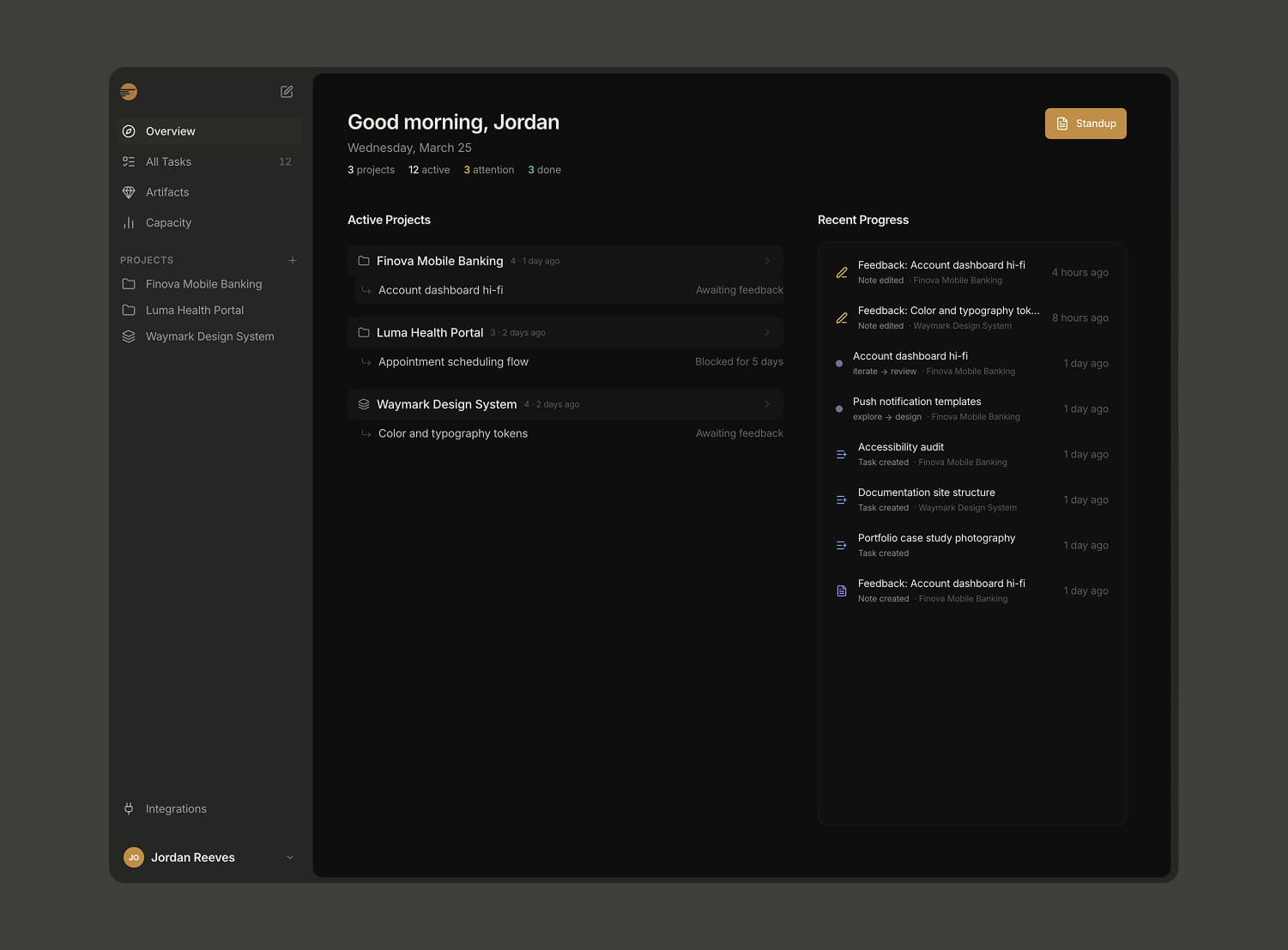
I also knew that designers wouldn't adopt another standalone tool unless it connected to what they already use. That meant real integrations with Linear, Figma, and Jira from day one. Updates from all three feed into a single Recent Progress view so you see everything in one place without opening three browser tabs.

The navigation model follows the same philosophy: fewest possible top-level elements, expanding as you drill deeper. A side-sheet stack with breadcrumb navigation lets you move from overview to project to task to artifact without losing your place. Closing a panel returns you exactly where you were.

The Design

Design phases. Each project carries a phase badge (Research through Handoff) with its own color. Phase transitions are logged with timestamps, creating a full history of how work progressed. Moving into Review automatically creates a feedback artifact so critique notes are captured in context.

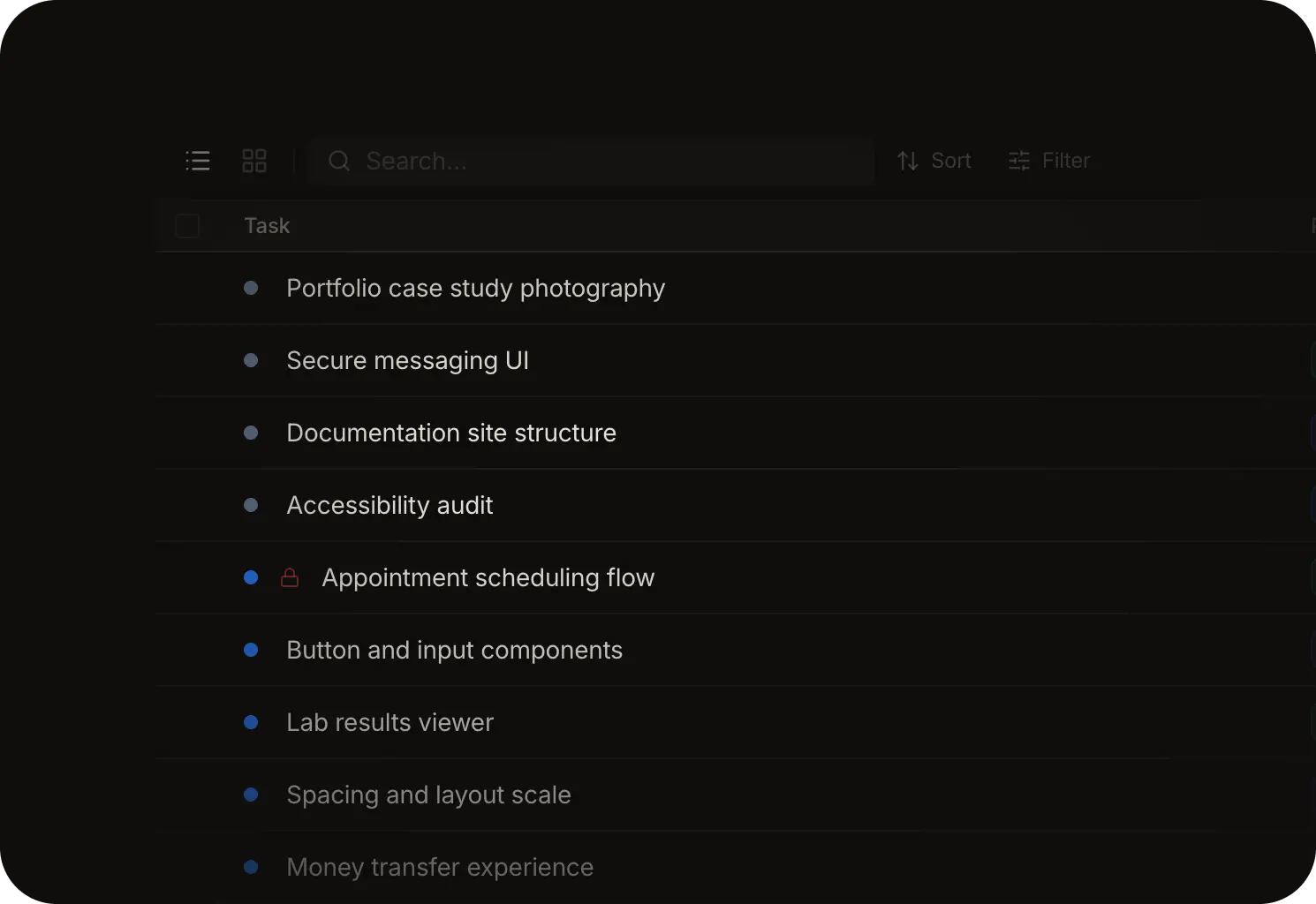
Tasks and blockers. Tasks live inside projects with a four-status flow. Each task can carry blockers (a waiting-for checklist), due dates, and attached artifacts. The Today view surfaces everything due or overdue, plus any tasks with unresolved dependencies. The board supports list and kanban views with drag-and-drop.

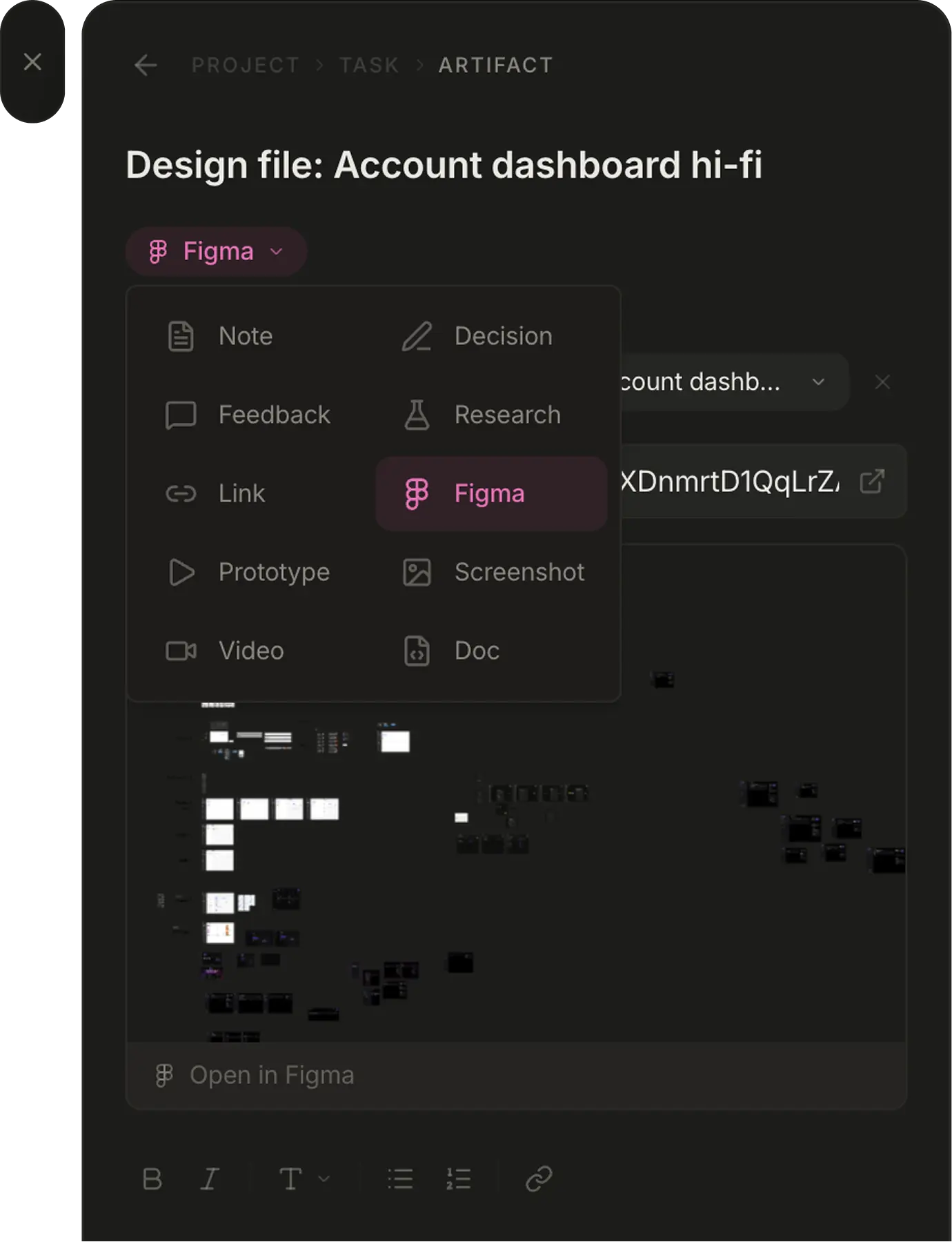
Artifacts. Design work generates context that PM tools throw away: research findings, competitive audits, decision logs, Figma files. Hierarch treats these as first-class objects with ten resource types. Figma URLs attached to tasks automatically sync as attachments in Linear, keeping design context connected across tools.

Integrations. Linear syncs issues through OAuth with automatic token refresh and webhook signature verification. Figma captures file comments and mentions via webhooks stored with a GIN index for fast lookup. Jira routes through a serverless proxy to handle CORS. All three feeds appear in the Recent Progress panel on the overview dashboard.
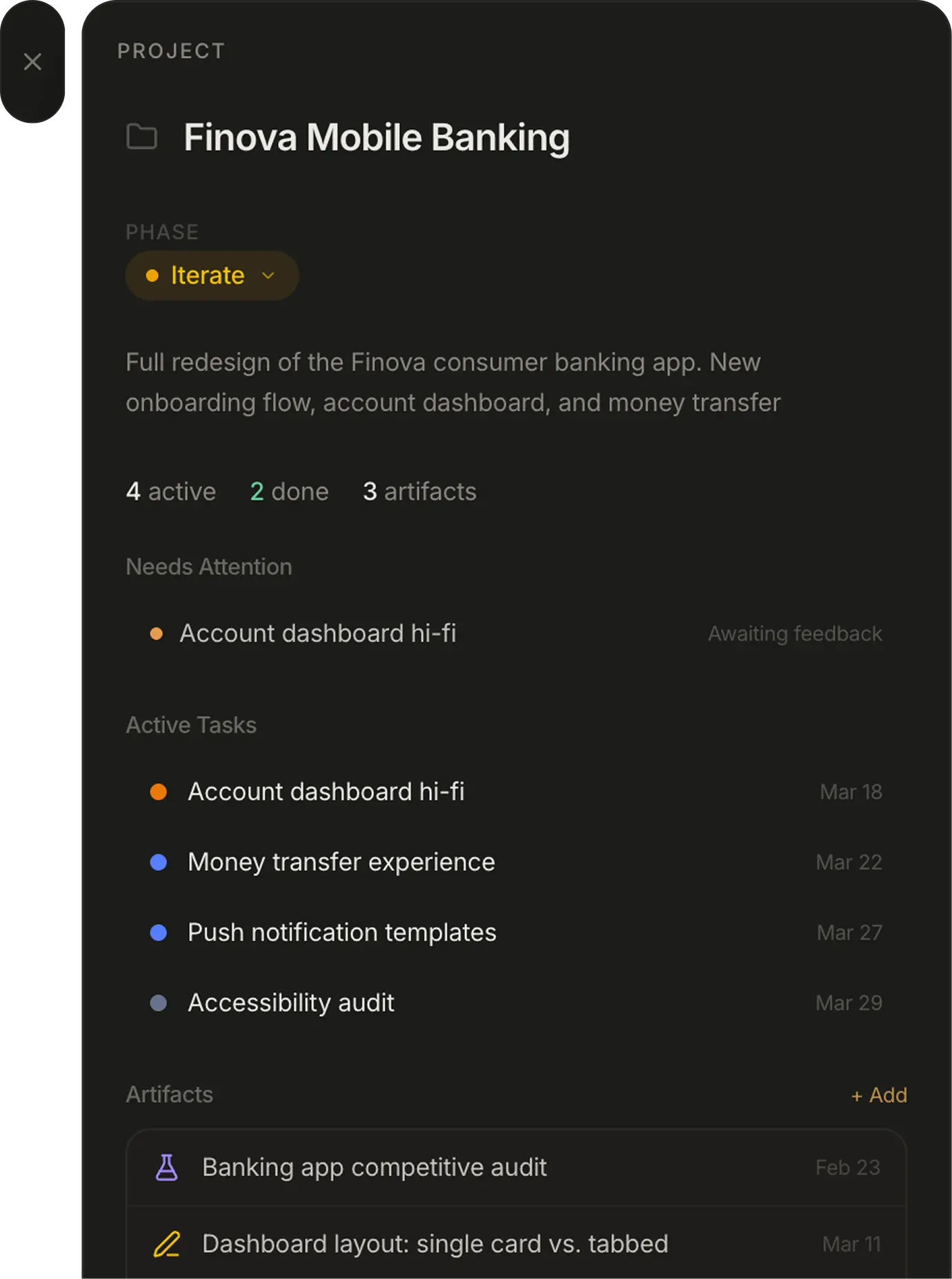
Project detail with phase indicator and tasks
Task detail with status and dependency tracking
Artifact editor with Figma integration

Capacity Planning

Design managers need to see where work stands across projects without asking for status updates. Hierarch's capacity view shows every project on a timeline with translucent range bars and task due-date dots for visual density analysis. The view auto-scrolls to today, starts one month in the past for context, and lets you scan weeks of workload at a glance. When a bar is packed with dots, that week is overloaded. When it's empty, there's room.
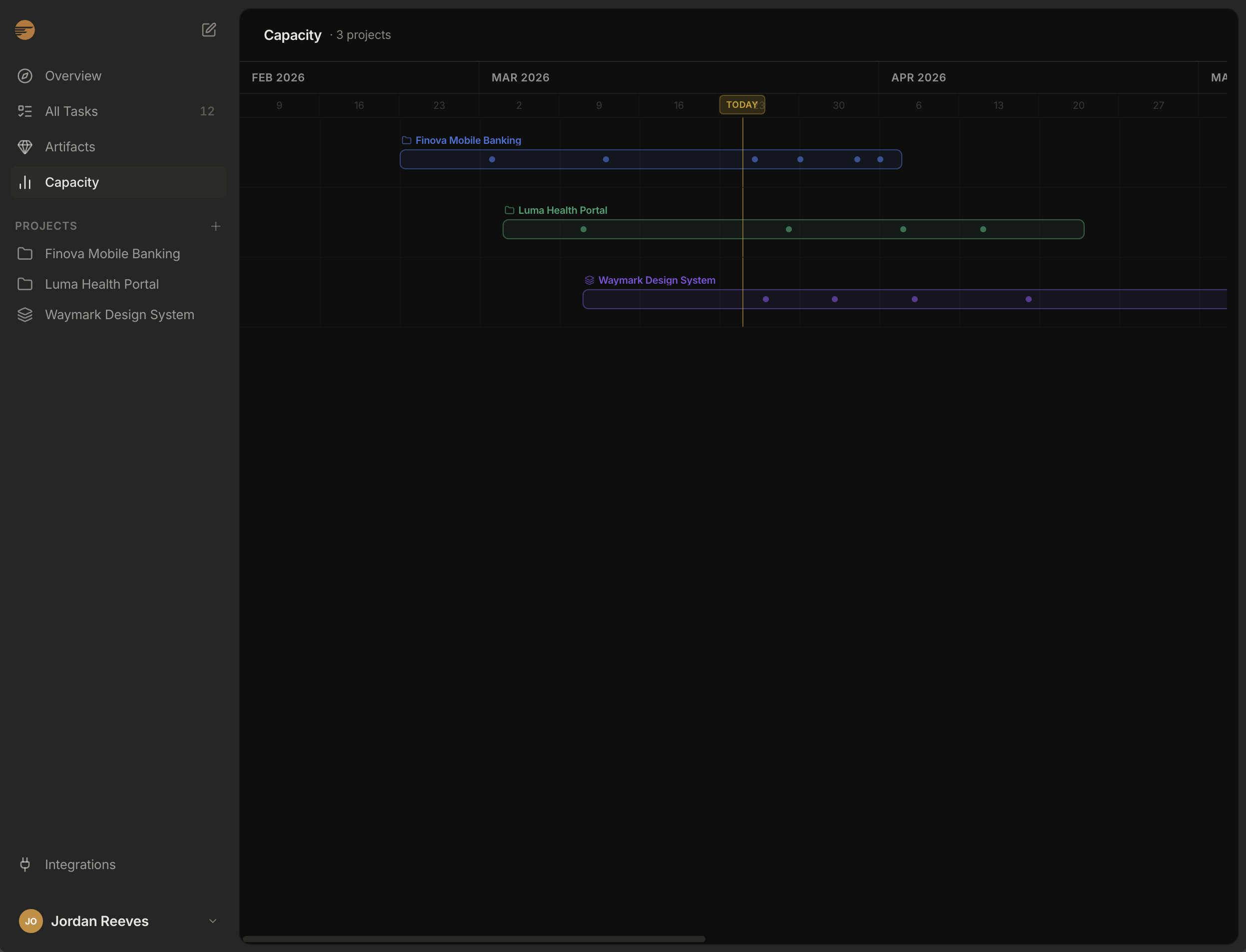
Capacity planning timeline showing three projects with task density dots across weekly intervals

How It Was Built

Hierarch was built almost entirely through AI-assisted development using Claude Code CLI as the primary tool. Claude Code handled implementation across the full stack: React components, Supabase Edge Functions (Hono on Deno), database schema design, RLS policies, and OAuth integration flows. Cursor filled in for rapid UI iteration.

The development workflow went beyond just writing code. I set up custom Claude Code agents that run automated audits across the codebase. A security agent checks for RLS gaps, auth vulnerabilities, injection risks, and data exposure. A code quality agent flags dead code, duplication, performance issues, and bundle size concerns. A consistency agent verifies component usage patterns, prop conventions, styling uniformity, and import structure. All three run in parallel and return a combined report before every deploy.

The infrastructure pipeline is fully AI-managed too. GitHub for version control with structured commits. Supabase for the database, auth, real-time subscriptions, and serverless functions. Vercel for deployment with environment variable management and production previews. Every layer from schema migrations to production deploys runs through Claude Code.

The result is a production application with real-time subscriptions, three OAuth integrations, drag-and-drop everywhere, a focus timer with drift correction, capacity planning with timeline visualization, and a 13-section public design system. Designed, built, and deployed by one person.

Task management interface showing the board and list views

Reflection

Building a product for yourself is clarifying. Every design decision gets tested against real use immediately. The biggest lesson: the dual status system (phases vs. task statuses) took several iterations to feel right. Early versions tried to combine them, which created confusion about whether you were moving the project forward or just completing work. Separating them made the mental model click. It's also the clearest expression of my design philosophy: fewest possible foundational elements that expand as you go deeper.