Mobile web email editor
PLG Growth Initiative | Mobile Web
Results
After launch:
Second send is directly tied to our activation definition. Improving this behavior strengthened a core growth driver and contributed directly to revenue performance.
This was not a cosmetic improvement. It materially shifted user behavior at a critical lifecycle milestone.
My Role
Long-Term Strategic Value
This work bridged validated past research with a present growth constraint and established foundational editing capability on mobile web. It restored the natural send–refine–send loop for mobile users, strengthening a behavior that compounds over time. The system continues to evolve and is currently in the process of being patented by the company.
My Role
Product Design
UX Strategy
Interaction Design
Team
PLG growth
Experimentation
Tools
Figma
Notion
Statsig
Cursor
Snowflake MCP
Executive Summary
I led the development of a full mobile web email editor to restore the natural edit–send iteration loop that drives activation. Rather than shipping a lightweight interim tool, I adapted a previously validated native editor into a browser-based system. After launch, trial-to-paid conversion increased by 8%+ and second email sends increased by 11.22%, directly strengthening a core activation milestone tied to revenue performance.
Context
Eighteen months prior, while on the native mobile app team, I led a complete redesign of the mobile email editor. The experience was fully validated through usability testing, where 10 out of 10 participants said they would want the feature added immediately. Despite strong validation, roadmap changes and resource constraints prevented development.
After moving to the mobile web growth team, I encountered a related constraint. Mobile web lacked a true editing experience. Users could make small manual adjustments, but meaningful iteration was not possible. What had once been an unshipped concept became a measurable growth gap.


Activation Risk in the Editing Experience
Email marketing is iterative by nature. Users send, review performance, refine, and send again. On mobile web, that loop was broken. Without an intuitive way to meaningfully edit campaigns, trial users were less likely to send a second email, which is a key activation milestone. The initial team plan was to ship a lightweight editor to establish baseline capability. While that would have closed the functional gap, it would not have meaningfully improved the activation curve.
Results
After launch:
Second send is directly tied to our activation definition. Improving this behavior strengthened a core growth driver and contributed directly to revenue performance.
This was not a cosmetic improvement. It materially shifted user behavior at a critical lifecycle milestone.
My Role
Long-Term Strategic Value
This work bridged validated past research with a present growth constraint and established foundational editing capability on mobile web. It restored the natural send–refine–send loop for mobile users, strengthening a behavior that compounds over time. The system continues to evolve and is currently in the process of being patented by the company.
Reframing the Solution Around Leverage
Instead of building a simplified interim solution, I revisited the previously validated mobile app editor and proposed adapting it for mobile web. We already had a system users clearly valued. The question became how to translate it effectively into a browser environment.
I partnered closely with a senior engineer to evaluate feasibility and scope. Together, we mapped native interaction patterns to mobile web equivalents, simplified gestures where necessary, and preserved the modular content architecture that made the original design effective. This approach reduced discovery risk while elevating the quality of what we shipped.
Building a Robust Editing System
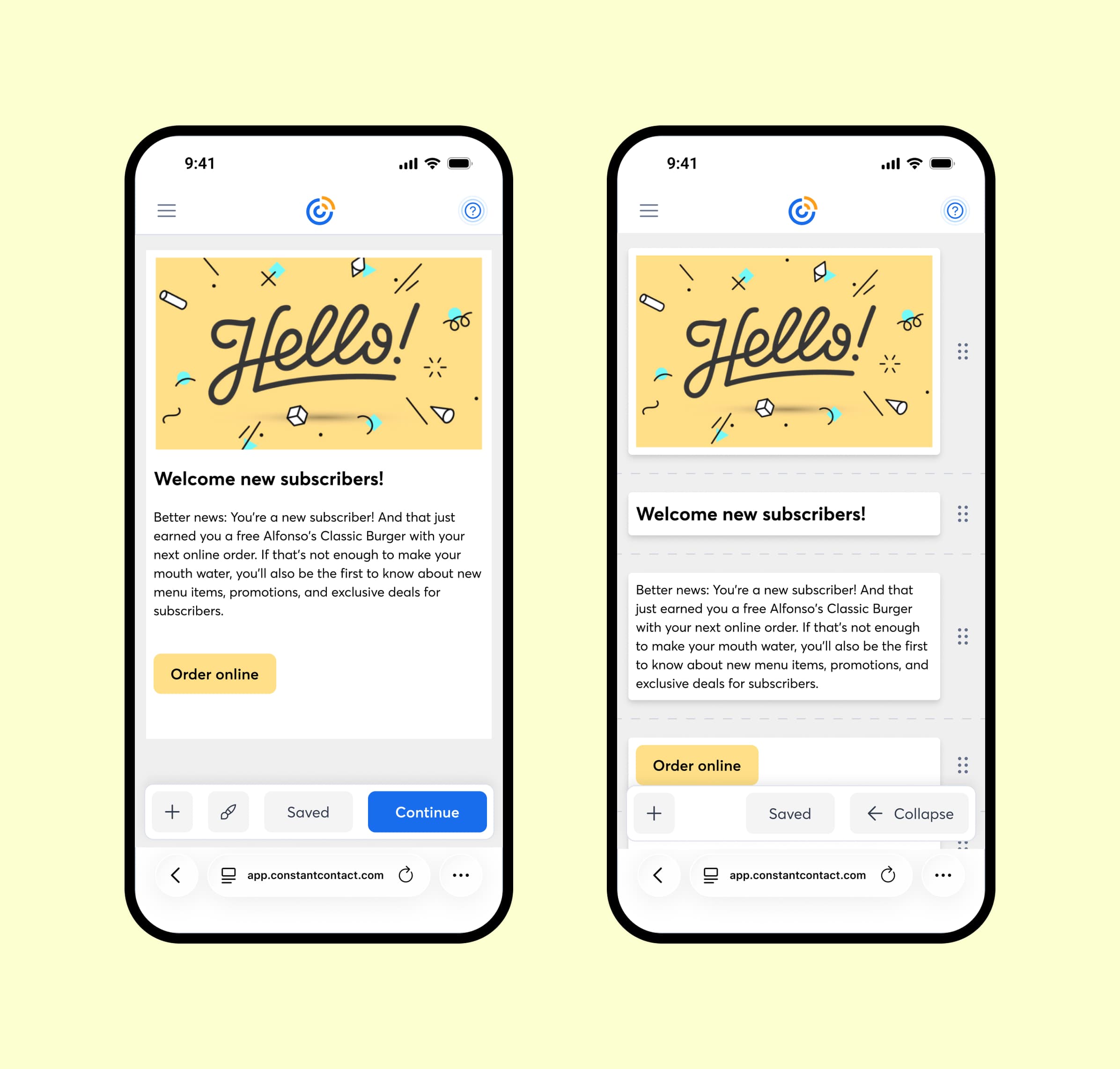
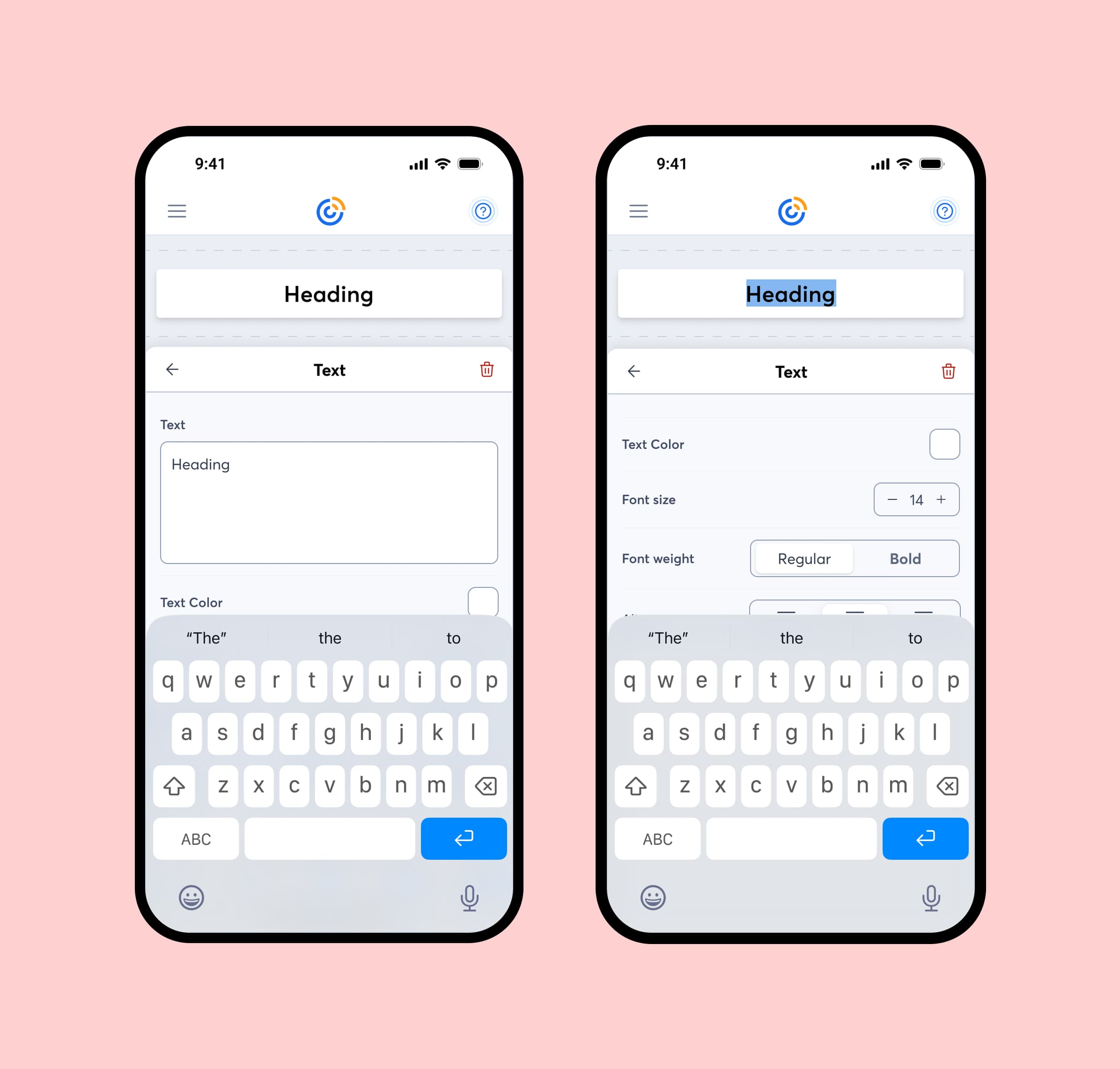
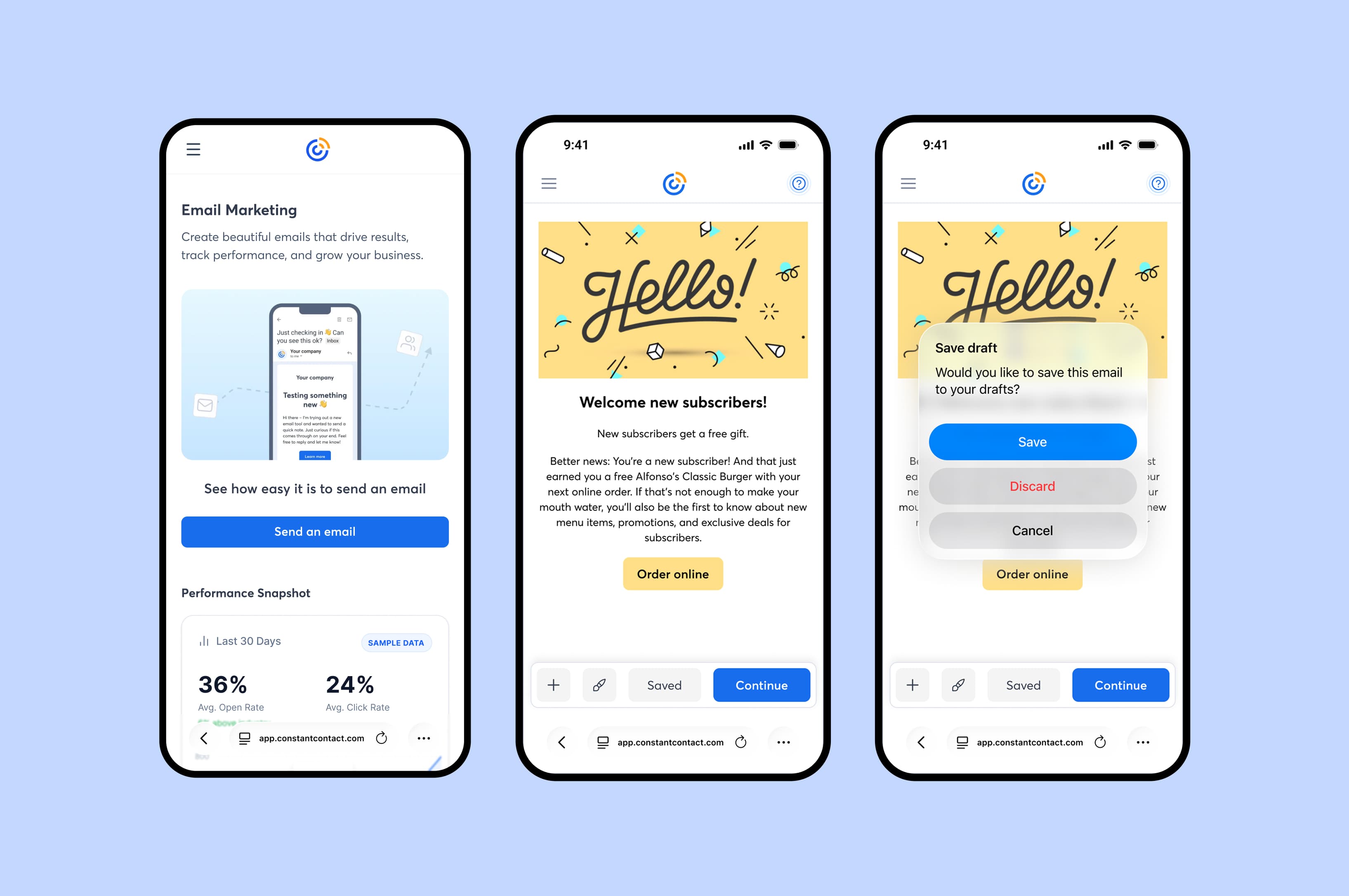
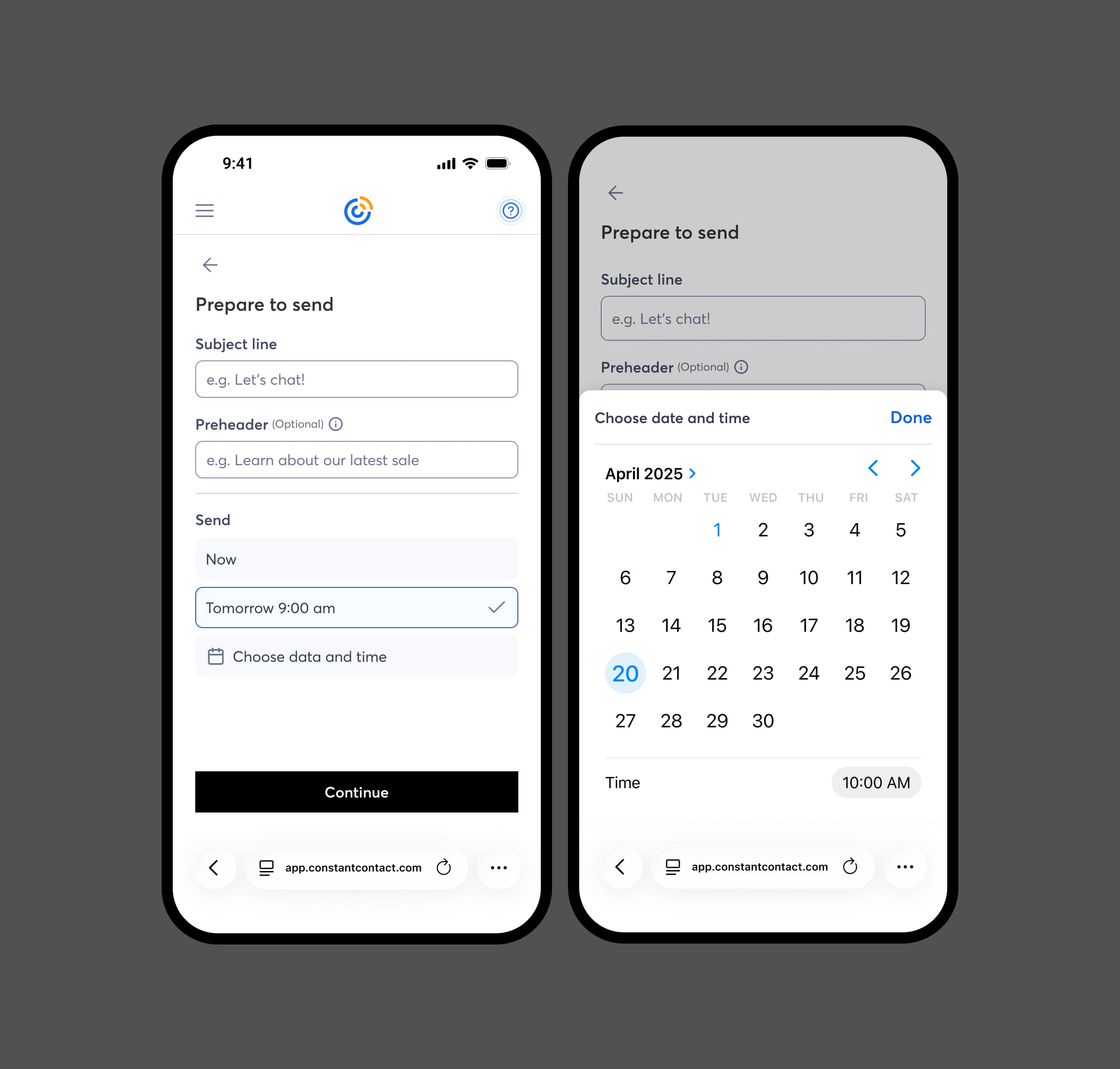
The implemented editor introduced:
Users could now meaningfully refine layouts, update content, and iterate directly from mobile web.
The feature launched within our experimentation framework to measure impact immediately.


Mobile web email editor
PLG Growth Initiative | Mobile Web
My Role
Product Design
UX Strategy
Interaction Design
Team
PLG growth
Experimentation
Tools
Figma
Notion
Statsig
Cursor
Snowflake MCP
Executive Summary
I led the development of a full mobile web email editor to restore the natural edit–send iteration loop that drives activation. Rather than shipping a lightweight interim tool, I adapted a previously validated native editor into a browser-based system. After launch, trial-to-paid conversion increased by 8%+ and second email sends increased by 11.22%, directly strengthening a core activation milestone tied to revenue performance.
Context
Eighteen months prior, while on the native mobile app team, I led a complete redesign of the mobile email editor. The experience was fully validated through usability testing, where 10 out of 10 participants said they would want the feature added immediately. Despite strong validation, roadmap changes and resource constraints prevented development.
After moving to the mobile web growth team, I encountered a related constraint. Mobile web lacked a true editing experience. Users could make small manual adjustments, but meaningful iteration was not possible. What had once been an unshipped concept became a measurable growth gap.
Activation Risk in the Editing Experience
Email marketing is iterative by nature. Users send, review performance, refine, and send again. On mobile web, that loop was broken. Without an intuitive way to meaningfully edit campaigns, trial users were less likely to send a second email, which is a key activation milestone. The initial team plan was to ship a lightweight editor to establish baseline capability. While that would have closed the functional gap, it would not have meaningfully improved the activation curve.
Reframing the Solution Around Leverage
Instead of building a simplified interim solution, I revisited the previously validated mobile app editor and proposed adapting it for mobile web. We already had a system users clearly valued. The question became how to translate it effectively into a browser environment.
I partnered closely with a senior engineer to evaluate feasibility and scope. Together, we mapped native interaction patterns to mobile web equivalents, simplified gestures where necessary, and preserved the modular content architecture that made the original design effective. This approach reduced discovery risk while elevating the quality of what we shipped.
Building a Robust Editing System
The implemented editor introduced:
Users could now meaningfully refine layouts, update content, and iterate directly from mobile web.
The feature launched within our experimentation framework to measure impact immediately.


Results
After launch:
Second send is directly tied to our activation definition. Improving this behavior strengthened a core growth driver and contributed directly to revenue performance.
This was not a cosmetic improvement. It materially shifted user behavior at a critical lifecycle milestone.
My Role
Long-Term Strategic Value
This work bridged validated past research with a present growth constraint and established foundational editing capability on mobile web. It restored the natural send–refine–send loop for mobile users, strengthening a behavior that compounds over time. The system continues to evolve and is currently in the process of being patented by the company.
Next steps
We need to accommodate for the functionality present in the desktop editor. That includes more support for styling as well as structural functionality like columns and rows. Moving forward we need to tread lightly when adding new features, to not make the same mistake we mad on desktop of creating a overly robust editor then trying to simplify perpetually.
Results
After launch:
Second send is directly tied to our activation definition. Improving this behavior strengthened a core growth driver and contributed directly to revenue performance.
This was not a cosmetic improvement. It materially shifted user behavior at a critical lifecycle milestone.
My Role
Long-Term Strategic Value
This work bridged validated past research with a present growth constraint and established foundational editing capability on mobile web. It restored the natural send–refine–send loop for mobile users, strengthening a behavior that compounds over time. The system continues to evolve and is currently in the process of being patented by the company.
Next steps
We need to accommodate for the functionality present in the desktop editor. That includes more support for styling as well as structural functionality like columns and rows. Moving forward we need to tread lightly when adding new features, to not make the same mistake we mad on desktop of creating a overly robust editor then trying to simplify perpetually.


Get in touch, or send me a cat video